How to Submit VAT Returns Online in Bangladesh
Paper VAT returns ended in July 2026. A practical, step-by-step guide to filing your VAT return on vat.gov.bd: what to prepare, logging in, entering sales and purchases, paying by e-payment or A-challan, submitting, and fixing common problems.

This is a practical how-to. If you want to understand what each part of the return means and how net VAT is calculated, read our explainer what is Mushak 9.1? first.
The short answer: Log in to the NBR’s e-VAT portal at vat.gov.bd with your BIN account, open the return submission section, choose the tax period, enter your sales, purchases and adjustments (the system builds Mushak 9.1 or 9.1.1 from what you enter), pay any net VAT through the portal’s e-payment option or an automated challan, attach the payment details, submit, and download your acknowledgement. Since 1 July 2026, all VAT returns must be filed online. Quarterly filing is now the default, due within 15 days after the quarter ends, according to PwC’s summary of the Finance Act 2026. Prepare your records first; the online filing itself is the easy part.
Who must file online?
Every VAT-registered and enlisted business. PwC notes that manual (paper) filing ended on 1 July 2026. That includes nil returns for periods with no sales. If you do not yet have a BIN, start with how to get a BIN certificate.
What should you prepare before you log in?
| Item | Why you need it |
|---|---|
| BIN, user ID and password for vat.gov.bd | To log in |
| Mobile phone registered with the account | For one-time codes |
| Sales book (Mushak 6.2) and copies of Mushak 6.3 invoices | To enter sales and output VAT |
| Purchase book (Mushak 6.1) and supplier invoices with your BIN | To claim input tax |
| Import documents (bills of entry) | To claim VAT paid at import |
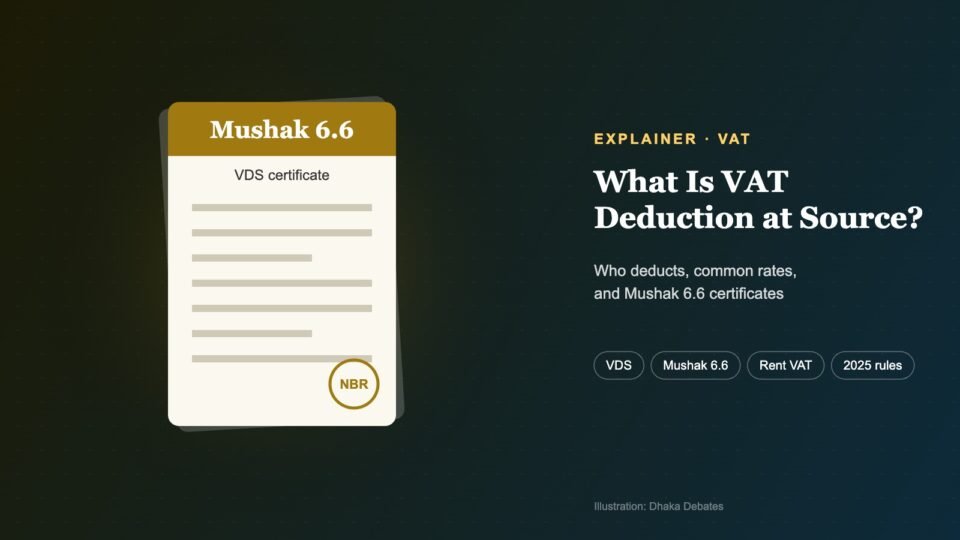
| VDS certificates (Mushak 6.6) received and issued | For adjustments |
| Credit and debit notes (Mushak 6.7, 6.8) | For adjustments |
| Rent agreement and rent payments | VAT on rent must be paid electronically and reported |
| Bank account or payment method | To pay net VAT |
How do you file the return, step by step?
Step 1: Log in to vat.gov.bd
Open the official portal (type the address yourself; do not use links from messages). Sign in with your credentials. If you have forgotten your password, use the reset option with your registered mobile and email.
Step 2: Open the return section and choose the period
From your dashboard, open the VAT return (return submission) section. Select the tax period you are filing for, which is a quarter if you are on the default quarterly basis, or a month if you opted for monthly filing. The system shows whether you file Mushak 9.1 or 9.1.1 based on your registration.
Step 3: Enter your sales
Enter the value of sales in each category, such as standard-rated, reduced or fixed-rate, zero-rated exports and exempt sales, with the VAT and any supplementary duty. The totals should match your sales book and Mushak 6.3 invoices for the period.
Step 4: Enter your purchases
Enter local purchases and imports and the VAT paid on them. Only claim input tax supported by valid invoices showing your BIN. Some sections ask for invoice-level details, so have supplier BINs and invoice numbers ready.
Step 5: Enter adjustments
- Increasing adjustments: VAT you deducted at source from suppliers, VAT on rent, debit notes.
- Decreasing adjustments: VAT customers deducted from your sales (with their Mushak 6.6 certificates), credit notes.
For how deductions at source work, see what is VAT deduction at source (VDS)?
Step 6: Check the calculated net VAT
The system calculates your net VAT and supplementary duty payable, or a credit to carry forward. Review it carefully against your own working. If the figure looks wrong, the cause is usually a missing purchase invoice or a wrongly categorised sale.
Step 7: Pay the VAT
Net VAT must be paid before you submit, and the payment details must go with the return. Common options are:
- E-payment through the portal, using the payment options linked to the e-VAT system, such as internet banking or cards.
- Automated challan (A-challan) through a bank, using the correct VAT account code. Keep the challan number.
The available methods can change, so follow the options shown in your portal. Make sure the BIN and tax period on the payment match the return.
Step 8: Submit and download the acknowledgement
Confirm the declaration and submit. Download and save the submitted return and the acknowledgement. Keep them with your records for at least five years.
Step 9: Issue VDS certificates if you deducted VAT
If your business deducted VAT at source from suppliers, the VDS guidelines that took effect in July 2025 require registered entities to issue Mushak 6.6 certificates within three working days of filing the return, according to a summary published by the Institute of Chartered Accountants of Bangladesh (ICAB).
When are returns due?
| Basis | Deadline | Example |
|---|---|---|
| Quarterly (default) | Within 15 days after quarter end | October–December 2026 return due by 15 January 2027 |
| Monthly (optional) | Last day of the following month | November 2026 return due by 31 December 2026 |
| Government bodies, banks, insurers, nil returns (quarterly) | Within 20 days after quarter end | October–December 2026 due by 20 January 2027 |
What are common problems, and how do you fix them?
| Problem | What to do |
|---|---|
| Cannot log in or OTP not arriving | Use password reset; check the mobile number on your registration; contact your VAT circle office if needed |
| Portal slow near the deadline | File a few days early; avoid the last day |
| Payment made but not showing | Keep the challan or transaction number; wait for it to reflect, then contact your bank and VAT office |
| Supplier’s BIN rejected | Verify the BIN on vat.gov.bd; ask the supplier for a corrected invoice |
| Mistake found after submission | File an amended return where allowed, and pay any extra VAT with interest |
| BIN locked for missed returns | File all pending returns; advisers report the lock is usually lifted shortly after |
What does late filing cost?
Late VAT payment carries interest of 1% per month, capped at 24 months, according to PwC. The law also provides fines for not filing; advisers commonly cite up to ৳10,000 for a registered business. Persistent non-filing can lead to the VAT office assessing your tax itself and locking your BIN, which can block imports, exports and, since July 2026, cause problems with bank accounts and trade licence renewals that now require a valid BIN.
Tips for stress-free filing
- Record invoices as you go, not at the end of the quarter.
- Use accounting software that produces Mushak books and return figures. We compared options in best accounting software for small businesses.
- Check supplier BINs before you pay them.
- Set calendar reminders a week before each deadline.
- For complex businesses, use a VAT consultant for the first few returns.
Frequently asked questions
Can I file a VAT return from my phone?
The portal is web-based and works best on a computer, especially for entering many invoices.
Is there a fee to file online?
No. Filing is free; you only pay the VAT you owe.
I had no sales this quarter. Do I still log in and file?
Yes. File a nil return by the deadline.
Can someone else file for me?
Many businesses use a VAT consultant or accountant. You remain responsible for the accuracy of the return, so review it before submission.
Key words explained
| Term | What it means |
|---|---|
| vat.gov.bd | The NBR’s official online VAT portal |
| Tax period | The quarter or month covered by a return |
| A-challan | The government’s automated challan system for depositing tax through banks |
| E-payment | Paying tax online through the portal |
| Acknowledgement | Proof that your return was received |
| Amended return | A corrected return filed after the original |
| Nil return | A return filed when there were no transactions |
How we reported this
We used PwC’s Worldwide Tax Summaries for Bangladesh (reviewed July 2026) and PwC’s summary of the Finance Act 2026, ICAB’s summary of the VDS Guidelines 2025, and published step-by-step guidance from Bangladeshi VAT advisers. Portal menus and payment options change from time to time; follow what you see on vat.gov.bd and confirm with your VAT office or adviser. Deadline examples are our own calculations. This is general information, not tax advice.
Sources
- PwC Worldwide Tax Summaries: Bangladesh, other taxes · taxsummaries.pwc.com
- PwC: Finance Act 2026 key amendments · pwc.com
- ICAB: Important changes in VAT deduction and collection at source 2025-26 · icab.org.bd
- Complete guide to VAT return under Finance Act 2026 (Ismail and Associates) · ismailandassociates.com